


Many people and businesses with small budgets choose to build their website themselves. As a web designer who also loves a challenge, it's a choice I respect: learning a new skill, putting in the time, effort and patience… it isn't easy, and I get it, when starting out not everyone wants/needs a site made by a designer.
That's why I want to help you create a good website. Starting with the basics. DIYers often forget or overlook web design basics, and I know, they're not the most fun part of design, and often the most invisible. But they're essential for a well designed website.
The very base layer includes things like performance, usability, accessibility and readability. And while most DIY websites I've seen do check almost all, I think readability is the one I see not taken into consideration most often. And it might be because it's not as straightforward as the others.
Especially for blogs, or any pages with long text, it is most important to design for good readability. And it's not just not having tiny text, but font choice, spacing, and the one I see neglected the most: line length.
Okay but what does all of this mean??
Alright, let's go over 4 essential design guidelines that ensure paragraphs are easy and comfortable to read:
– Font choice
– Spacing
– Text size
– Line length
1. Font choice
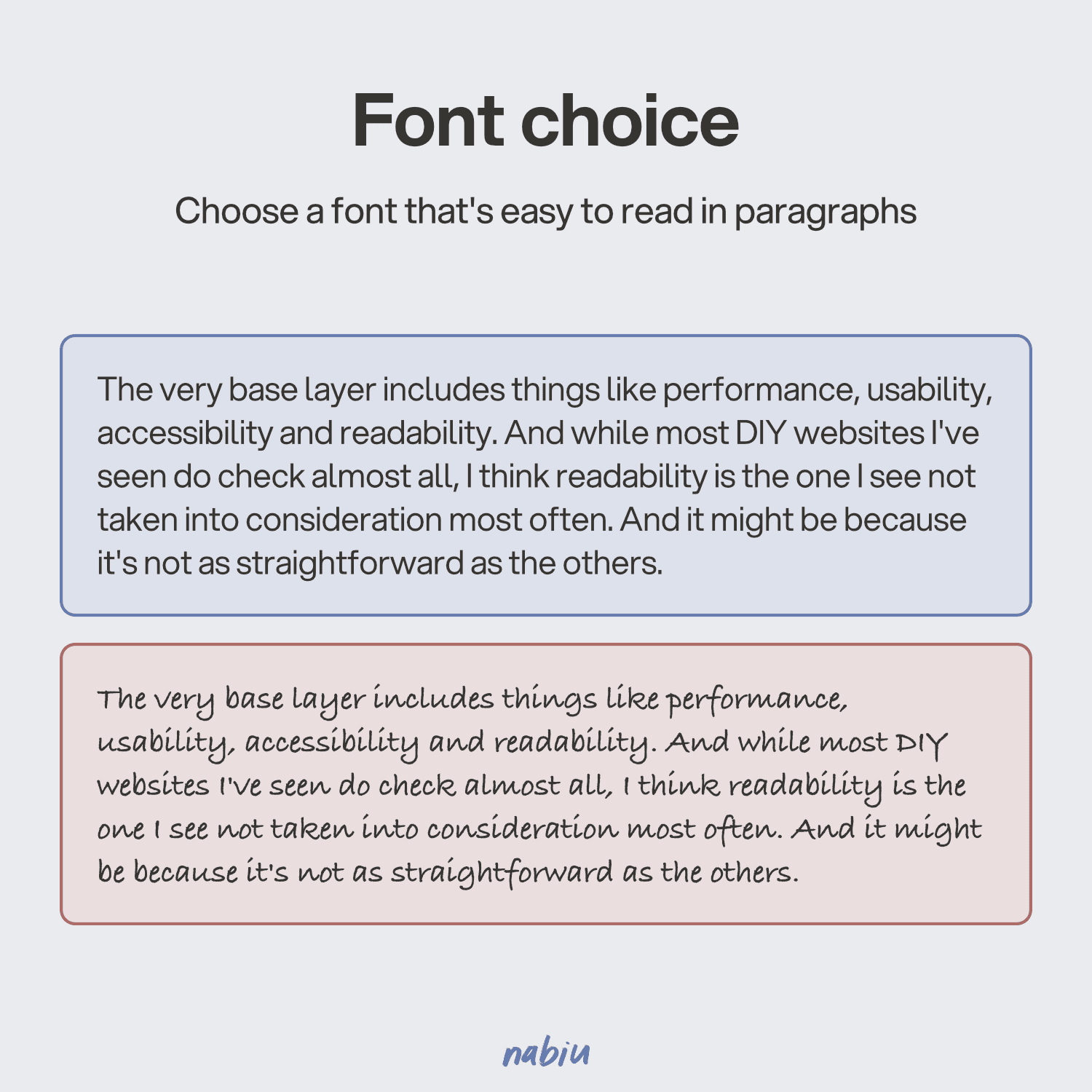
The first guideline is choosing a font that will be easy to read in paragraphs. In short sentences, a weirder font is usually fine, but paragraphs and long texts require a legible font if you don't want readers to struggle. That means choosing fonts designed for paragraphs, and avoiding overly decorative and handwritten fonts.
2. Spacing
This might be the most difficult one, don't feel guilty if you did this, I also see professional designers do this sometimes and I'm guilty of it myself. Spacing refers to the white space between lines and letters. If it is too small or too big, it affects readability, making it more difficult to read a text.

3. Text size
Choosing a good paragraph size is also important. Too often I see websites using sizes too small. Sometimes it looks good, but it sacrifices accessibility and makes it more difficult for people with good eyes too.
You might think since some books have tiny text it must be alright, but in books it's not a style or readability choice: it's to keep a book pocket-sized or save paper. On the web, there are no such limits, so it's better to make people scroll than to make them zoom in and out or have pick up a magnifying glass.

4. Line length
And finally, the one I see most issues with. Line length, or the width of a paragraph, is also very important for a comfortable and easy reading experience.
Many websites have shorter line lengths for short paragraphs, and that's fine. The problem is when it's a full page of text, like in a blog or service page, and the whole text's width is too small or too big. The latter being, in my eyes, even more difficult to read.

I hope this post is genuinely helpful to website DIYers out there who feel a little lost with their website, like maybe something is off, but don't know exactly what... Sometimes it's just the basics missing!
If you've found this post useful, you might like…